How to Port Your Phone Number to Another Network in Nigeria: Steps, Cost and Rules (2026)
Last updated: 7 November 2026
Everybody has that one number.
It is the number your bank has on file. The one tied to your BVN and NIN. The one your landlord, your customers and your mother all know by heart. And right now, it is sitting on a network that drops your call the moment you step into the kitchen.
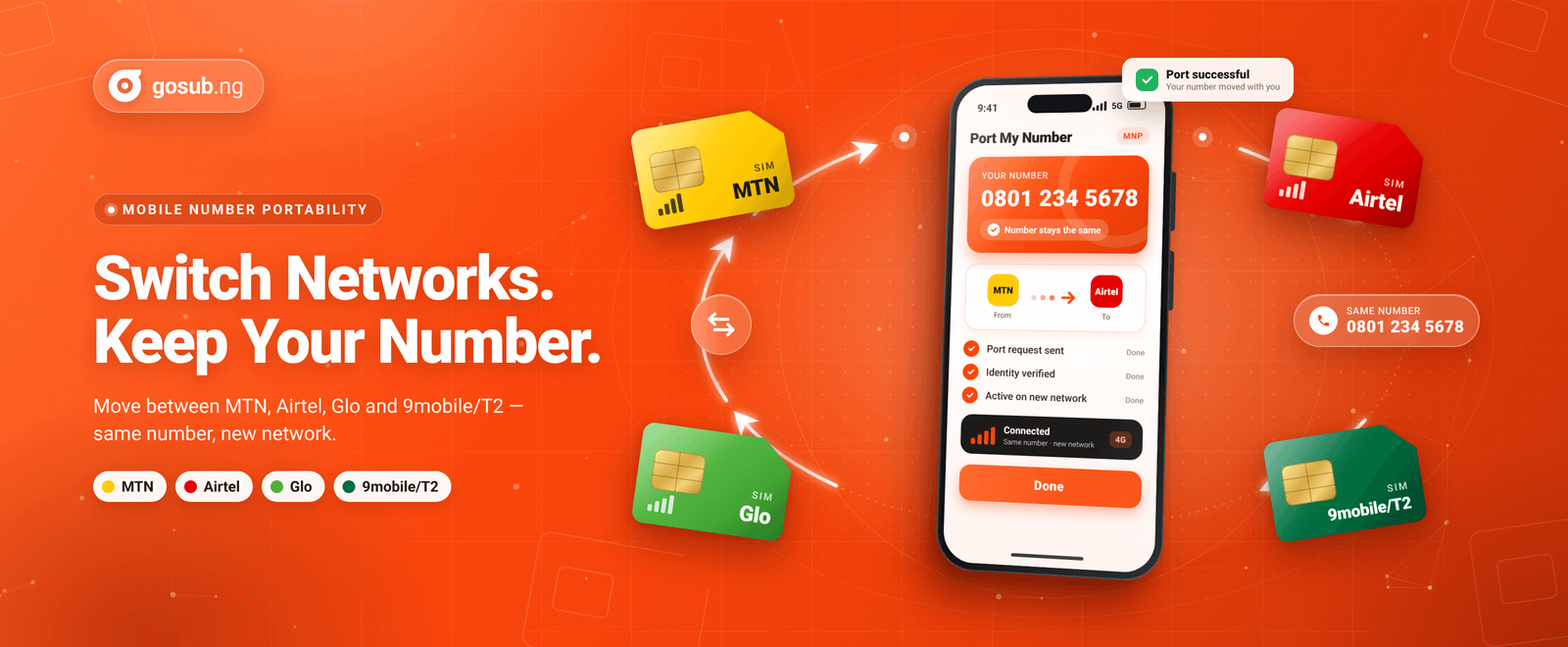
Here is the good news: switching networks does not mean changing that number. Nigeria has had a service called Mobile Number Portability (MNP) since April 2013, and it lets you move to a different network while keeping the number you already have.
So why do so few people use it? According to NCC figures, 1,111 numbers were ported across all networks in August 2026, in a country with more than 150 million active lines. Plenty of people either do not know the option exists or assume it is more wahala than it is worth.
It is less scary than it sounds, but there are rules and traps worth knowing before you walk into a store. Here is how to port your number in Nigeria, step by step.
Quick Answer: To port your number in Nigeria, make sure your SIM is active and linked to your NIN, then start a port-in request with the network you are moving to. Visit one of its stores with your ID for biometric capture, collect a new SIM and send PORT to 3232 when you are told to. Porting is free, usually completes within minutes (and no later than 48 hours), and your old SIM stops working once it is done. Spend your airtime first, because it will not come with you.
Porting at a glance
- Cost: Free (the new SIM card may or may not be, depending on the network)
- Short code: 3232
- Time: About 15 to 20 minutes per MTN, and up to 48 hours at most
- Waiting period before you can port again: 45 days
- What you need: An active SIM, your NIN, a valid ID and in-person biometrics
- Networks: MTN, Airtel, Glo and T2 (formerly 9mobile)
What Is Mobile Number Portability (MNP)?
MNP is the service that lets you leave one mobile network for another and keep your phone number. You get a new SIM from the network you are joining, but the number itself, say 0803 xxx xxxx, stays yours.
It is available to both prepaid and postpaid customers. Because the NCC sets the rules, the process follows the same basic pattern whichever network you are moving to.
One thing to be clear about from the start: porting changes your network, not your number. What does change is your SIM, your tariff, and every bundle or subscription you had on the old network.
Why Would You Port Your Number?
People usually port for one of a few reasons:
- Coverage: Your current network is weak at home, at the office or along your daily route.
- Data experience: Speeds drop, or another network simply looks like better value.
- Customer service: You are tired of support that never seems to fix anything.
- Your number is your identity: It is tied to your bank, BVN, NIN, delivery apps and customers, and changing it means updating all of them.
That last point is the real selling point. Plenty of Nigerians simply carry a second SIM, and that is a perfectly good option. But if you want to leave your old network behind completely, porting spares you the stress of telling the whole world you have a new number.
What do the porting numbers say? NCC data shows that MTN took in 508 of the 1,111 port-ins recorded in August 2026, followed by Airtel (389), Glo (198), Vitel(11) and T2 (5). T2 recorded the most port-outs that month (408). Treat that as a trend, not a verdict. The numbers are small compared with the total subscriber base, and they say nothing about how a network performs on your street.
Which Networks Can You Port Between?
You can port between MTN, Airtel, Glo and T2, which is the network formerly known as 9mobile (it rebranded in August 2025). Porting works in any direction, subject to the waiting period explained below. So yes, you can port from 9mobile to MTN, or from Glo to Airtel. The steps are the same.
Who Can Port? Check These First
Before you plan a trip to the store, make sure you tick these boxes:
- Your SIM is active and registered. The NCC requires your SIM to be registered with your current operator before you approach the new one.
- Your NIN is linked. NIN is mandatory for porting. If you are not sure your line is linked, sort that out first.
- You have not ported recently. MTN's eligibility rule is no port in the last 45 days. The NCC reduced the older 90-day restriction to 45 days.
- You can show up in person. The network will verify your NIN and capture your face or fingerprints. MTN is clear that nobody can do the biometrics on your behalf.
- Your NIN is in good standing. NCC rules require a NIN generated from your BVN to have its biometrics updated at an NIMC office before it can be used for SIM-related transactions, and networks cannot port you while NIMC has such a NIN flagged.
- You are within the SIM limit. NCC rules cap one NIN at four SIMs on a given network, and port-in requests are checked against that limit.
- Your SIM is not brand new. If it was activated very recently, ask your current network whether a waiting period applies before it can leave.
Postpaid customers can port too, but the NCC's FAQ is clear that you will still owe your old provider any outstanding bills and early termination fees once the port completes, and you will receive a final bill for usage up to the point of porting.
What Should You Do Before You Port?
A little preparation can save you a lot of stress on port day.
- Test the new network first. A port is hard to undo quickly, because you must wait before moving again. Buy a cheap SIM on the network you are eyeing, or borrow a friend's, and test it at home, at work and along your usual routes for a week.
- Use up your airtime. Credit left on your old line is forfeited once the port completes. The NCC says the same for prepaid credit. Treat unused data bundles the same way and assume they will not make the trip.
- Convert what you cannot spend. If you are sitting on a large airtime balance you cannot realistically burn through, converting eligible airtime to cash beats losing it. Gosub.ng offers airtime-to-cash conversion, so check that your network is supported and review the current rates and terms before you decide. How to convert airtime to cash
- Empty your mobile wallet. MTN advises customers to spend or withdraw any funds in a mobile money account tied to the number before porting.
- Back up your contacts. Contacts stored on the old SIM may be lost, so sync them to your Google or Apple account or save them to your phone.
- Do not cancel your old line first. The NCC specifically advises against terminating your service with your current provider before you start porting. It is also wise to clear any airtime or data loans so nothing is left hanging.
- Pick a quiet moment. The NCC says messages sent to you before the switch but not yet delivered may be lost, so avoid porting while you are waiting on a bank OTP or an important SMS.
How to Port Your Number in Nigeria, Step by Step
The exact flow varies slightly between networks, but this is the general journey.
- Choose your new network and start the request. MTN lets you begin online at mtn.ng/mnp, where you enter your details and get a tracking ID. Airtel lets you download its MNP request form first. On other networks, you will usually start at a store.
- Visit an official store or licensed dealer of your new network. Go early in the day, because porting is only available while the outlet is open. Bring your NIN, a valid ID, a charged phone and the SIM you are porting. The agent will verify your NIN and capture your face or fingerprints. Skip roadside agents: this process involves your NIN and biometrics.
- Collect your new SIM. It will be registered to you at the store. The NCC says the SIM may be free or sold, depending on the network, so ask before you assume.
- Send PORT to 3232 from the number you are porting. This is free, and MTN also lets you dial 3232 to follow voice prompts. Do it only when you are ready: the NCC's FAQ says that once you send the confirmation SMS, you can no longer cancel the request.
- Wait for the SMS updates. You should get a message acknowledging your request and another when your port is complete. Keep using your old SIM until the second message arrives.
- Swap SIMs straight away. Once the completion SMS lands, put the new SIM in. The NCC's FAQ warns that your old line can stop working within an hour of that message.
- Test everything. Make a call, send an SMS, check your data and confirm you are on the right network, then pick a tariff or bundle.
How Do You Port to MTN, Airtel, Glo and T2?
Here are the network-specific notes.
- Porting to MTN: Visit an MTN service centre or initiate your request through the MTN MNP portal. Provide your identification details and complete the required biometric verification and porting validation. Follow MTN's instructions, including sending PORT to 3232 if requested. Keep your old SIM active until you receive an SMS confirming that your porting is complete. The process typically takes about 15 to 20 minutes but may take up to 48 hours.
- Porting to Airtel: Visit an Airtel Shop to collect an Airtel SIM, fill out the MNP form and provide the required identification/biometric information, then text PORT to 3232. You will receive an SMS acknowledging receipt of your porting request and also receive another SMS notifying you that your porting request has been successful
- Porting to Glo: Visit a Glo shop or authorised dealer with your ID, fill in the port-in form, collect your Glo SIM and text PORT to 3232. Keep using your old SIM until the confirmation SMS arrives. Glo follows the same national pattern, but check at the store for any updates.
- Porting to T2 or 9mobile: T2 or 9mobile follows the same NCC process: a store visit, NIN verification and biometrics, a new SIM and PORT to 3232. Because T2 is the rebranded 9mobile, some guides online still use the old name, so confirm current steps with T2 customer care.
How Long Does Porting Take, and How Much Does It Cost?
Time: MTN says porting takes about 15 to 20 minutes, with a maximum of 48 hours. The NCC's FAQ also promises completion within 48 hours, and the regulator has said it was working with operators to bring typical times down to between five and 20 minutes. Your old SIM keeps working until the completion SMS arrives.
Cost: Porting itself is free, according to the NCC, Airtel and MTN, and sending PORT to 3232 costs nothing. What may cost money is the new SIM card. A SIM price is one thing; a “porting fee” is another. If anyone asks you to pay for the port itself, stop and check directly with the network.
What Happens to Your Airtime, Data and Mobile Wallet?
In short: they do not follow you.
- Airtime: Any credit left on the old line is forfeited when the port completes.
- Bundles and subscriptions: Subscriptions from your old network are no longer accessible, so use up your data first.
- Voicemail, SMS and extras: Voicemail, SMS, MMS and ancillary services on the old network are gone, and you will need to set them up again.
- Mobile money: Withdraw or spend it before you port.
You will also start on your new network's default tariff, so look for a plan or bundle that suits how you actually use your phone.
What Changes After You Port, and What Stays the Same?
- Your number stays the same. Your bank, BVN, NIN and WhatsApp all stay tied to the same number, and your customers can keep calling it.
- Your prefix stops being a clue. After porting, 0803 does not necessarily mean MTN. This matters when you buy airtime or data, because some apps guess the network from the first digits. Always choose the network the number is on now.
- Call costs may change. The NCC notes that calls between you and friends on other networks may be billed differently after porting, for both sides.
- Your old network must leave you alone. The NCC's FAQ says your previous operator is not allowed to contact you during the porting process to persuade you to stay, and you can report such contact to your new network or the NCC. Yes, even the “please don’t leave us” calls have rules.
Why Was My Port Rejected or Delayed?
Ports do sometimes stall. These are the usual suspects:
- Mismatched details. The name, NIN or phone number on your request does not match your SIM or NIN records.
- A flagged NIN. This applies especially to BVN-generated NINs that still need a biometric update at NIMC.
- A recent port. The 45-day clock has not run out yet.
- Approval from your old network. MTN notes that your application goes to your current provider for approval, so a rejection can come from that side.
- System hiccups. NIN verification depends on NIMC systems, and when they are down, networks can struggle to verify customers. Try again later.
What should you do? Go back to your new network's store or customer care first. The NCC says to contact your new provider if a port is rejected or fails to complete. If you are still getting nowhere, you can escalate to the NCC.
Can You Port Back to Your Old Network?
Yes, but not immediately. You must wait out the 45-day restriction, and you will need another new SIM from the network you are returning to, because your previous SIM stops working after the first port. That is why testing a network before you commit is worth the effort.
What About Business or Corporate Lines?
Businesses port through a different, paperwork-heavy route. NCC rules for corporate lines involve an authorisation letter naming a “Telecom Master”, an indemnity form, the latest invoice and a list of users with their NINs. MTN's MNP page directs corporate customers to a separate email request instead of the individual process. If you are moving a company line, ask your new network's business team exactly what they need before anyone heads to a store.
How Do You Stay Connected After You Port?
Porting changes your SIM, not your need for airtime and data. On day one, your new line may have an empty balance and the network's default tariff, so it helps to have your first top-up sorted before you leave the store.
This is where a platform like Gosub.ng fits in. You can buy airtime and data for your new line, and if you ever have leftover airtime you cannot use, you can look into converting eligible airtime to cash instead of letting it go to waste. Just remember the prefix rule: choose the network your number is on today, not the one it started on.
Final Thoughts
Porting is one of the most useful consumer rights in Nigerian telecoms and one of the least used. The reason is not that it is complicated. It is that many people do not know the steps, or find out too late that their airtime will not follow them.
Do the preparation and the rest is straightforward: confirm your NIN is linked, test the new network, spend or convert your balance, then visit an official store with your ID and wait for that completion SMS. Your number stays. Your network changes. Your bank, your customers and your mother can keep calling the same line.
And when your new SIM goes live, Gosub.ng is there for the airtime and data top-ups that keep it running.
Frequently Asked Questions (FAQs)
Can I keep my phone number when I change networks in Nigeria?
What do I need to port my number?
How much does it cost and how long does porting take?
How do I start a porting request?
Will my airtime and data bundles move to the new network?
Can I port back to my old network?


Author: Osato Obazee
Customer Service Representative
